
TAL National Convention 2026
The American Legion NHQNews & Magazines
4.65.00 Reviews
- Version
- 1.207.0
- Installs
- 10.00K
- Age Rating
- Everyone
Screenshots
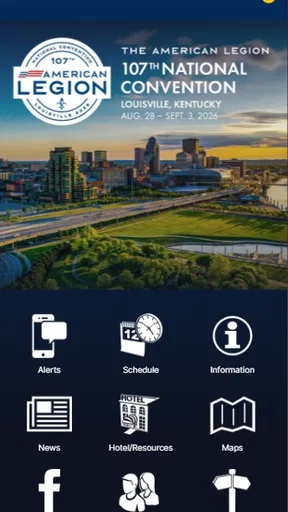
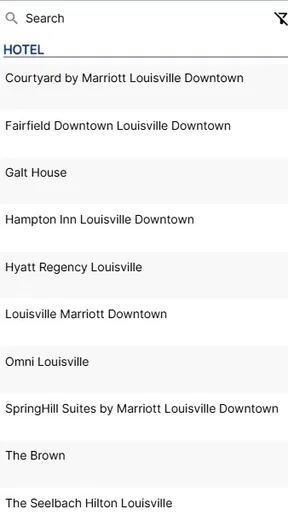
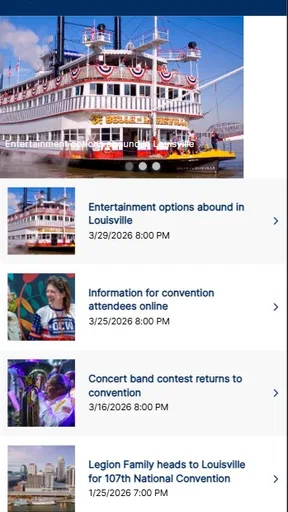
Our Review of TAL National Convention 2026
 Analysis by Appyee
When I first opened TAL National Convention 2026, I treated it less like a general news reader and more like a focused companion for people following The American Legion’s National Convention. That distinction matters. The app is not trying to replace a broad newspaper app, a social network, or a full event-planning platform. Its value comes from putting convention-related information in one place, with a narrow purpose that can be useful when your attention is already centered on the event.
Developed by The American Legion NHQ, this free News & Magazines app is aimed at members, delegates, attendees, and anyone who wants a direct way to keep up with the organization’s national convention. I found that its strongest quality is focus: instead of making me sort through unrelated headlines, it gives the convention its own space. That makes it easier to check during a busy day, especially when I want event information without opening several unrelated services.
The app has an Everyone content rating, so it is suitable for a broad audience. It has also been available since August 7, 2014, while the current release is version 1.207.0 and requires Android 8.0 or later. Those details make it a practical option for many existing devices, although anyone using an older phone should check compatibility before planning around it.
How I used it as a convention companion
My baseline workflow was simple. I opened the app when I wanted convention-focused information, skimmed the available material, and returned to it when I needed a quick update. That sounds modest, but it is exactly where a specialized app can be more useful than a general browser search. A browser gives you a wide range of results, while this app is designed around one subject and one audience.
I would begin by checking the latest visible content rather than trying to read everything in one sitting. For a convention app, that habit is more sensible than treating every item like a permanent reference document. Information can matter because it is timely, because it helps with preparation, or because it gives context to what is happening during the gathering. A short check before leaving for the day and another after returning is more realistic than constantly monitoring the screen.
A useful everyday scenario is a member preparing for a convention day while moving between a hotel, meeting area, and social activities. Instead of searching the web repeatedly, I could use the app as a single starting point for convention-related updates. If I were attending with another person, I would also use it as a shared reference: one person checks the app, then passes along the relevant information before the group moves on. That reduces the need for everyone to search separately.
The best way to use this app is as a focused check-in tool, not as your entire convention plan. I would still keep important personal details somewhere dependable, such as a calendar or notes app. A specialized news application can help me stay informed, but it should not become the only place where I remember appointments, travel arrangements, or commitments.
That separation is one of the more important practical lessons. A general calendar is better for reminders I create myself. A map application is better for navigation. A messaging service is better for coordinating with a group. TAL National Convention 2026 fits between those tools: it helps me stay connected to the convention’s information flow, while the other apps handle my personal logistics.
What the focused format does well
The narrow subject makes the app easier to understand than a broad news feed. I do not have to decide whether unrelated stories deserve attention before finding convention material. For members who already know why they are opening it, that reduced noise is a genuine advantage.
It is also useful for people who prefer an official channel rather than relying entirely on posts shared through social media. Social platforms can be convenient, but they mix announcements with conversations, recommendations, and distractions. A dedicated app gives the convention a more deliberate place on the phone.
The audience size suggests that it is a specialized tool rather than a mass-market news product. It has over ten thousand installs and an average rating of 4.6 from 41 ratings, which gives me a positive impression while also reminding me that this is a niche app. I would not judge it by the same standards as a major national news service with a huge editorial operation and a constant stream of unrelated coverage.
Settings and habits worth checking first
My first practical recommendation is to spend a moment reviewing the app’s available device and application settings before relying on it during a busy convention day. I would check whether notifications are enabled, whether they are appropriate for my schedule, and whether the app is comfortable to use with the phone’s current text size and display settings. These are small checks, but they can prevent missed updates or unnecessary interruptions.
I would also look at the phone’s battery and background-activity behavior. This is not a special feature of the app; it is simply good preparation for any event companion. A convention day can involve long periods away from a charger, and no single app should be allowed to undermine the phone’s usefulness for calls, messages, tickets, or navigation. If I do not need immediate alerts, I would consider keeping notifications quieter and opening the app at planned intervals instead.
Another worthwhile habit is to decide what “current” means for me. If I am actively following convention developments, I may check more often. If I am only interested in occasional updates, a morning and evening routine is enough. This avoids the common mistake of opening a news app repeatedly without gaining anything new.
Because the app is free, there is no purchase decision complicating that routine. I can install it as a low-risk companion and see whether its focused coverage fits my needs. Still, free does not automatically mean essential. The right question is whether I benefit from having convention information presented in a dedicated app instead of using a browser, email, or social feed.
I would also keep the app updated when a newer version is offered through the relevant store. The current version is 1.207.0, and staying current is especially sensible for an event-oriented application, where content presentation and reliability matter more than they might in a rarely used reference tool. I would avoid updating immediately before leaving for an important appointment, though; checking the app after an update gives me a chance to confirm that it still opens and behaves as expected.
Faster patterns for regular users
Experienced users can make the app more useful through repeatable habits rather than complicated tricks. My preferred pattern would be a three-step check: open the app, scan for what has changed since the last visit, and then close it once I have found the information I need. That keeps the app in its proper role and prevents aimless scrolling.
I would place the app where it is easy to reach on the phone, but not necessarily in the most distracting position on the home screen. A convenient folder for event and organization tools can make it available without encouraging constant checking. This is a small shortcut, yet it works well during travel because it reduces the number of taps between deciding to check and actually seeing the content.
A second useful pattern is to pair the app with a personal note. When I find something that affects my own plans, I would record the action in my calendar or notes rather than assuming I will remember it from the app later. For example, if an update changes how I intend to organize my day, I would write down the relevant task immediately. This creates a reliable division: the app provides information, while my personal tools preserve decisions.
A third pattern is to avoid forwarding every item to a group. I would read first, identify what affects the people I am with, and then share only that part through the communication method we already use. This keeps conversations clearer and helps prevent a convention group from becoming overwhelmed by repeated links or screenshots.
These habits are more valuable than trying to force the app into a role it was not designed to fill. It is not a replacement for a full event-management system, and I would not use it as one. Its strength is the quick, focused connection to convention-related material.
Where it differs from ordinary news apps
Compared with a general news application, this one sacrifices breadth for relevance. A mainstream news reader may offer better tools for following national stories, local reporting, business, sports, or multiple publications. If I want a large range of subjects in one place, I would choose that alternative instead.
Compared with a browser, this app can reduce the effort of repeatedly finding the right convention information. A browser remains more flexible, especially when I need to search across official pages, maps, travel details, or outside reporting. The trade-off is that browser searches can produce more noise and require more judgment about which result deserves attention.
Compared with social media, the dedicated format feels more purposeful. Social networks may provide faster conversation and personal reactions, but they also bring algorithmic feeds and unrelated posts. I would choose social media when discussion is my priority; I would choose this app when I want a more direct convention-focused check.
The app’s rating of 4.6 is encouraging, but I would interpret it in context rather than treating it as proof that it suits everyone. With 41 ratings, it reflects a relatively small, specialized audience. For someone deeply connected to The American Legion’s convention, that focus may be exactly what makes the app worthwhile. For someone with only casual interest, a normal browser bookmark may be enough.
Limits I noticed before making it my main tool
The biggest limitation is scope. A focused convention app cannot answer every question that appears during travel or attendance. I would not expect it to replace directions, accommodation management, personal scheduling, or direct communication with other attendees. Those needs belong to other tools, and trying to make one app handle all of them usually creates more confusion.
There is also a difference between reading information and acting on it. An app can help me notice an update, but I still need to decide what it means for my own schedule. That extra step is easy to overlook when the interface feels convenient. I would always translate important information into a personal action, reminder, or conversation instead of assuming that seeing it once is enough.
Another trade-off is that a specialized app is most valuable when its subject is immediately relevant. Outside the convention context, I may have little reason to open it. That is not a flaw so much as a boundary. I would install it for a clear purpose and remove it later if I no longer need that purpose, rather than expecting it to become a daily general-news habit.
Device compatibility is another practical consideration. The minimum requirement is Android 8.0, so users with older Android phones may not be able to install it. Anyone attending an important event should test the app on the actual phone they plan to carry, not merely assume that a second device or an older backup will work.
I would also prepare for ordinary event-day friction: weak connectivity, a busy schedule, a low battery, or too many notifications from several applications at once. The sensible response is not to depend on one screen. I would check relevant information when connected, keep essential personal details elsewhere, and carry the usual backup arrangements for travel and communication.
Who should install it, and who should skip it
I would recommend it to American Legion members, delegates, attendees, and supporters who want a dedicated way to follow the National Convention. It is particularly suitable for someone who dislikes searching through broad feeds and prefers a focused source on the phone. The free price also makes it easy to try without committing money.
It can also help people who are not attending every part of the convention but still want to remain connected to what is happening. In that situation, the app works as a convenient window into the event rather than a planning tool. I would use it for periodic awareness, then rely on other services for deeper research or personal follow-up.
I would skip it if my main goal is general news, extensive search, or full itinerary management. A broad news app will serve a wider reading habit better. A calendar and travel app will handle personal logistics better. Someone who rarely follows The American Legion’s convention activity may find that a browser bookmark is simpler and sufficient.
The Everyone rating makes it approachable for mixed-age groups, but suitability is not the same as usefulness. The important question is whether the convention is part of the reader’s real interests or plans. If it is, the app’s specialization is an advantage. If it is not, the narrow focus may feel unnecessary.
My final assessment after using the focused workflow
After testing it as a focused information companion, I see TAL National Convention 2026 as a practical niche app rather than a complete event platform. The developer, The American Legion NHQ, has built something aimed at a clearly defined audience, and that clarity is its main strength. I like being able to approach convention information directly instead of beginning with a noisy general feed.
Its best results come from a disciplined routine: check it at useful moments, review notification behavior, record personal actions elsewhere, and keep backup tools ready for navigation and scheduling. Those habits make the app feel more dependable without pretending it can replace every other service on the phone.
My recommendation is straightforward. If the National Convention is relevant to you, install this free app and make it part of your event-day information routine. If you are looking for a full news reader or a complete travel organizer, choose a broader tool instead. For its specific audience, its focused approach is more useful than a crowded all-purpose feed.
Verdict
Strengths of TAL National Convention 2026
- Centralized access to convention schedules, sessions, and announcements.
- Useful for planning attendance with event details available on mobile.
- May provide timely updates when rooms, times, or activities change.
- Convenient reference for registered attendees while traveling.
- Can help users discover networking opportunities and special events.
Limitations of TAL National Convention 2026
- Its usefulness is limited outside the convention dates.
- Some features may require registration or an attendee account.
- Event information depends on organizers keeping content updated.
- Notifications may become excessive during busy convention periods.
- Older devices may offer a less smooth experience with the app.
Similar Picks in This Category
View All
Google News - Daily Headlines
Google LLC4.0

X
X Corp.4.8

Flipboard:Your Social Magazine
Flipboard3.4

Opera News: breaking & local
Opera4.5

Hindi News by Dainik Bhaskar
Dainik Bhaskar Group4.0

Way2News Daily News App
Way2News ( Formerly Way2SMS )4.6
Frequently Asked Questions
What is the TAL National Convention 2026 app used for?
The TAL National Convention 2026 app is designed to help attendees access important event information in one place. It may include the convention schedule, session details, speaker information, venue maps, announcements, exhibitor listings, and networking tools. After installing it, users can generally use the app as a digital companion before and during the convention instead of relying only on printed materials or separate web pages.
Is the TAL National Convention 2026 app free to download?
The application is generally available to download without an additional app-store charge, although access to the convention itself may require registration, membership, or a paid ticket. Some features can also depend on the type of registration connected to your account. Before downloading, check the official event information and the app-store listing for current pricing, eligibility requirements, and any restrictions related to attendee-only content.
Do I need an account or registration to use the app?
You may be able to install and open the TAL National Convention 2026 app without signing in, but many useful features are likely intended for registered attendees. A login or registration code may be required to view personalized schedules, manage sessions, access private event materials, send messages, or receive announcements. Use the email address associated with your convention registration if the app asks you to authenticate.
Can I use the TAL National Convention 2026 app without an internet connection?
Some basic information may remain available after it has been downloaded or synchronized, such as parts of the schedule, saved sessions, and selected venue details. However, features like live updates, messaging, attendee profiles, notifications, registration verification, and newly published announcements usually require an internet connection. It is a good idea to open and synchronize the app before arriving, while also keeping the latest event information available as a backup.
What permissions and personal information does the app require?
The permissions requested by the TAL National Convention 2026 app can vary depending on the features enabled for the event. It may request notifications for schedule changes, internet access for updated content, and optional access to contacts, the camera, or location-based services for networking and venue functions. Review the privacy policy and permission prompts carefully, and disable optional permissions that you do not need while keeping essential notifications enabled.
